
Cordex-Rules: Dataverse rule engine for Dynamics 365Automation you can see.
Cordex-Rules is a Dataverse rule engine for Dynamics 365 and Power Apps. Design your business logic in a visual editor inside your app, run it entirely in Dataverse, and watch open forms update themselves as rules run.
See Cordex-Rules in action


Business rules your team can read and change
Cordex-Rules is a dedicated rules engine for Dataverse, designed to be read and changed. It is not a general workflow tool. It does one job: run your business logic, in plain sight.
Conditions and branches you can read
Layer conditions, branch on any value and group actions together. The whole rule sits on one screen and reads back in plain English.
Rules that call rules
Chain rules together so each one stays small. Build a pricing rule once and run it from quotes, orders and renewals.
Validators that guard a save
Check a change before it is saved. If it breaks a rule, the save is blocked with a clear message that tells the user what to fix.
Cordex-Rules inside Power Apps
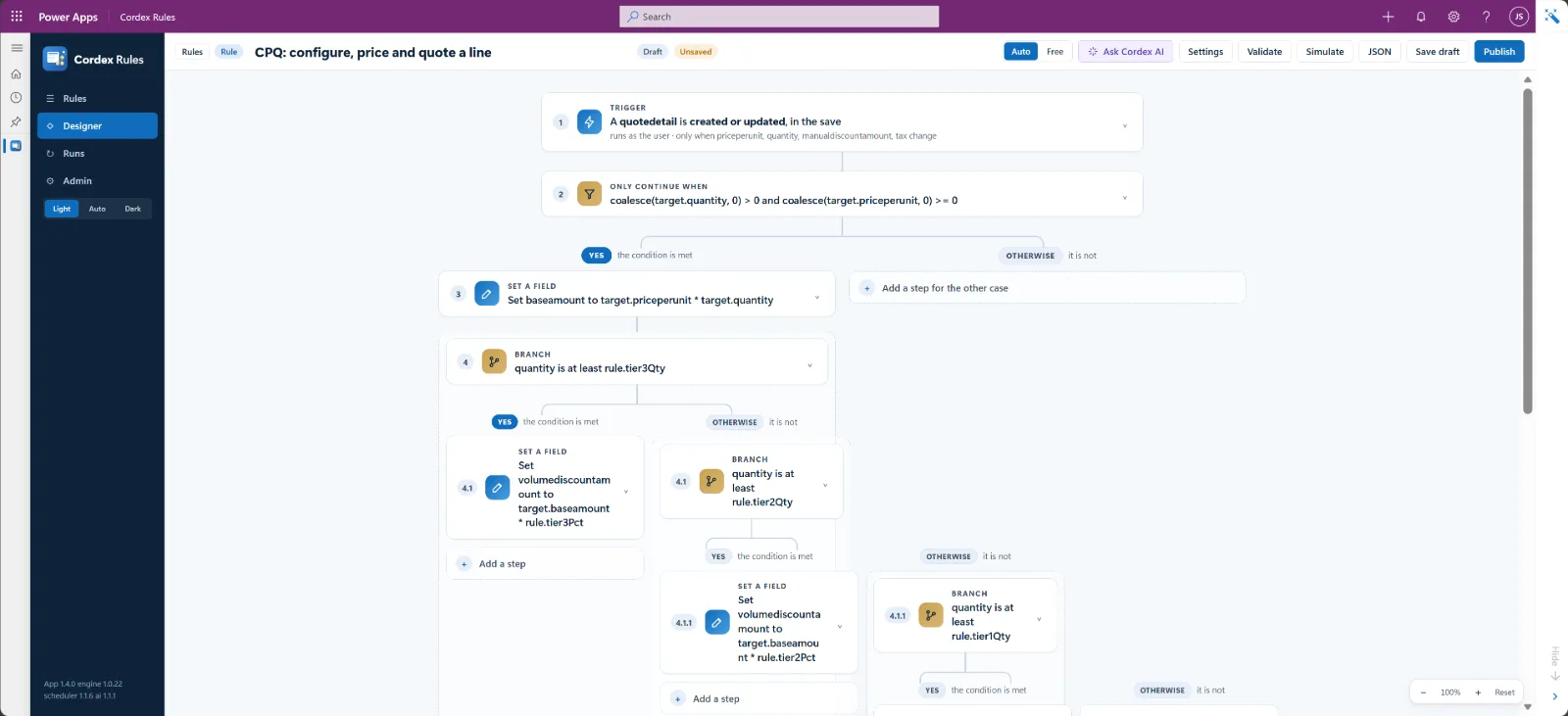
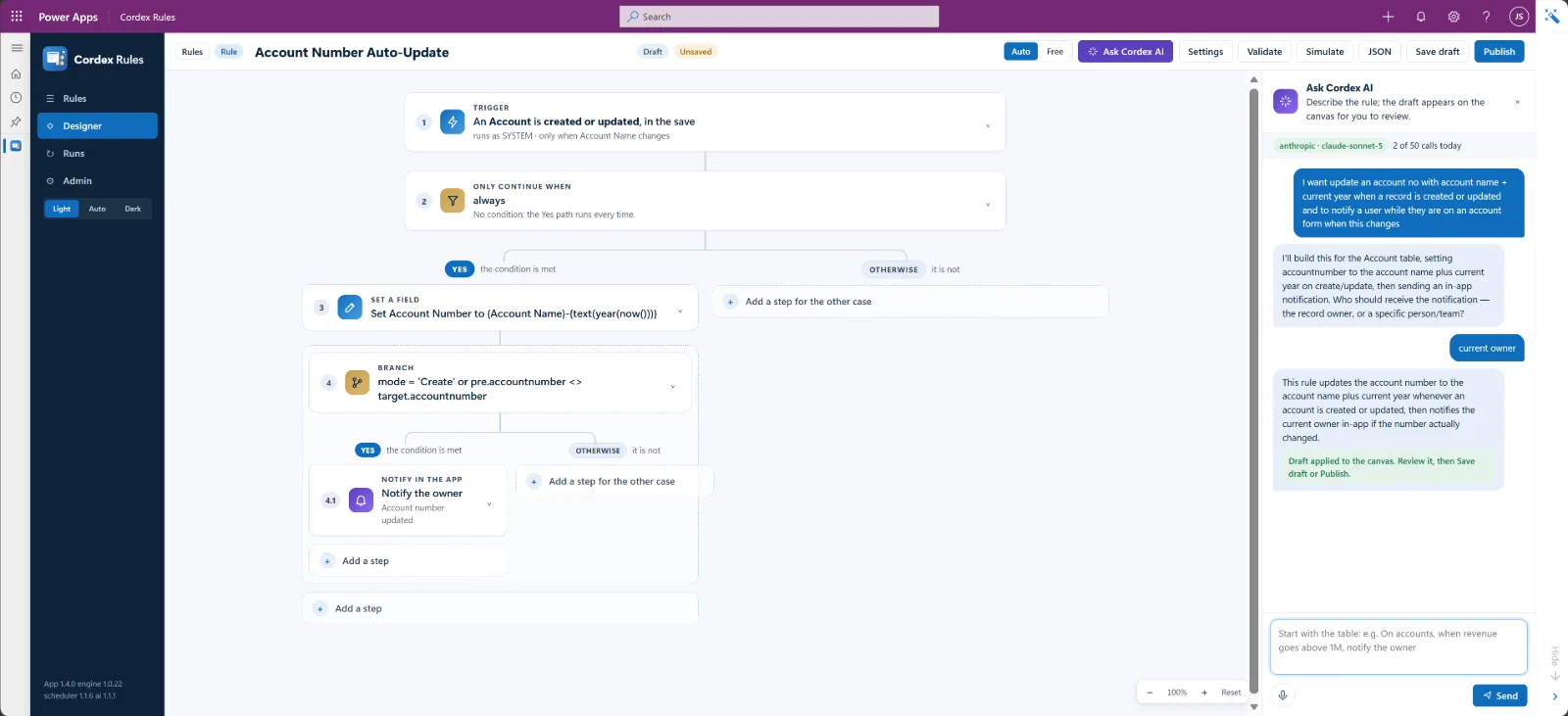
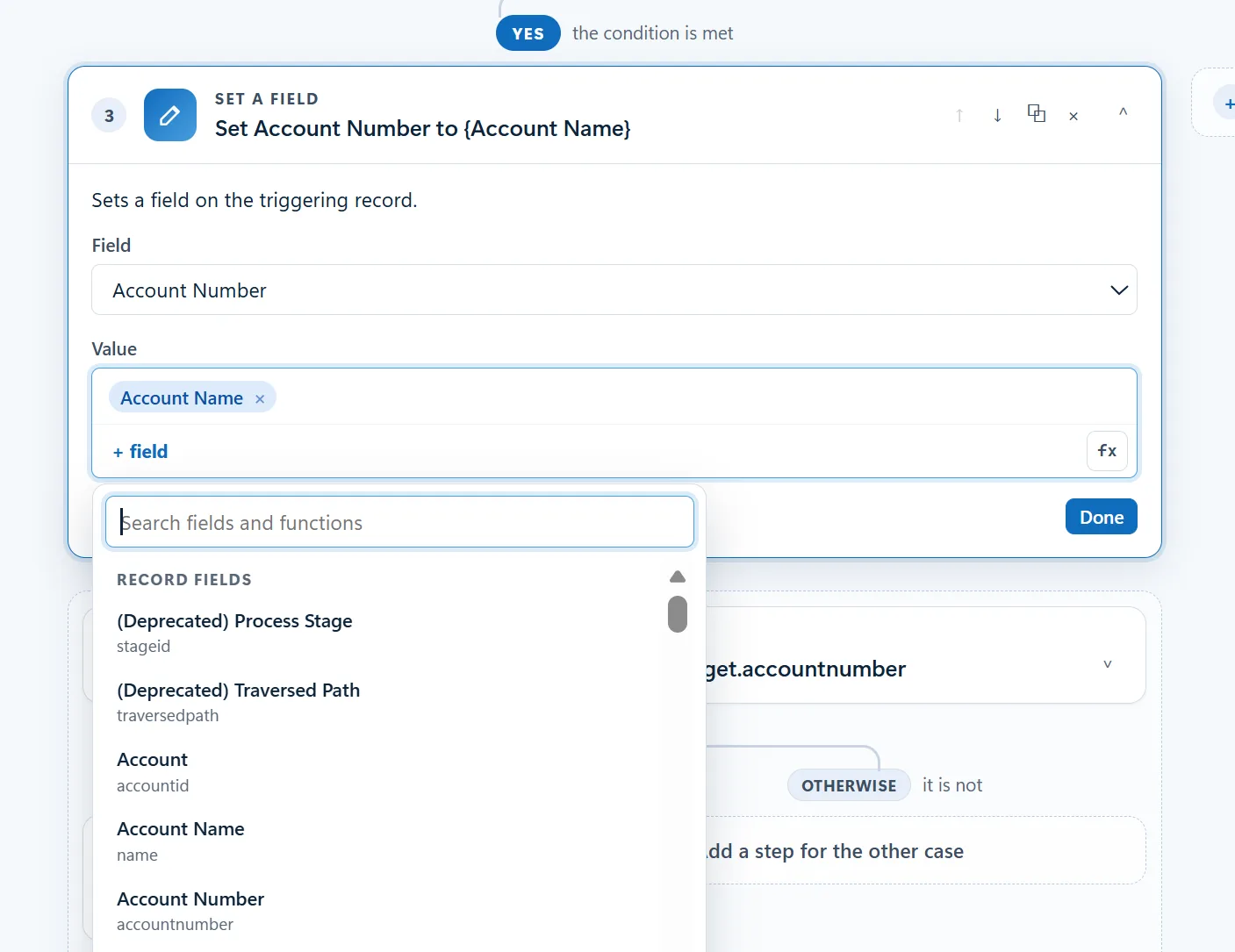
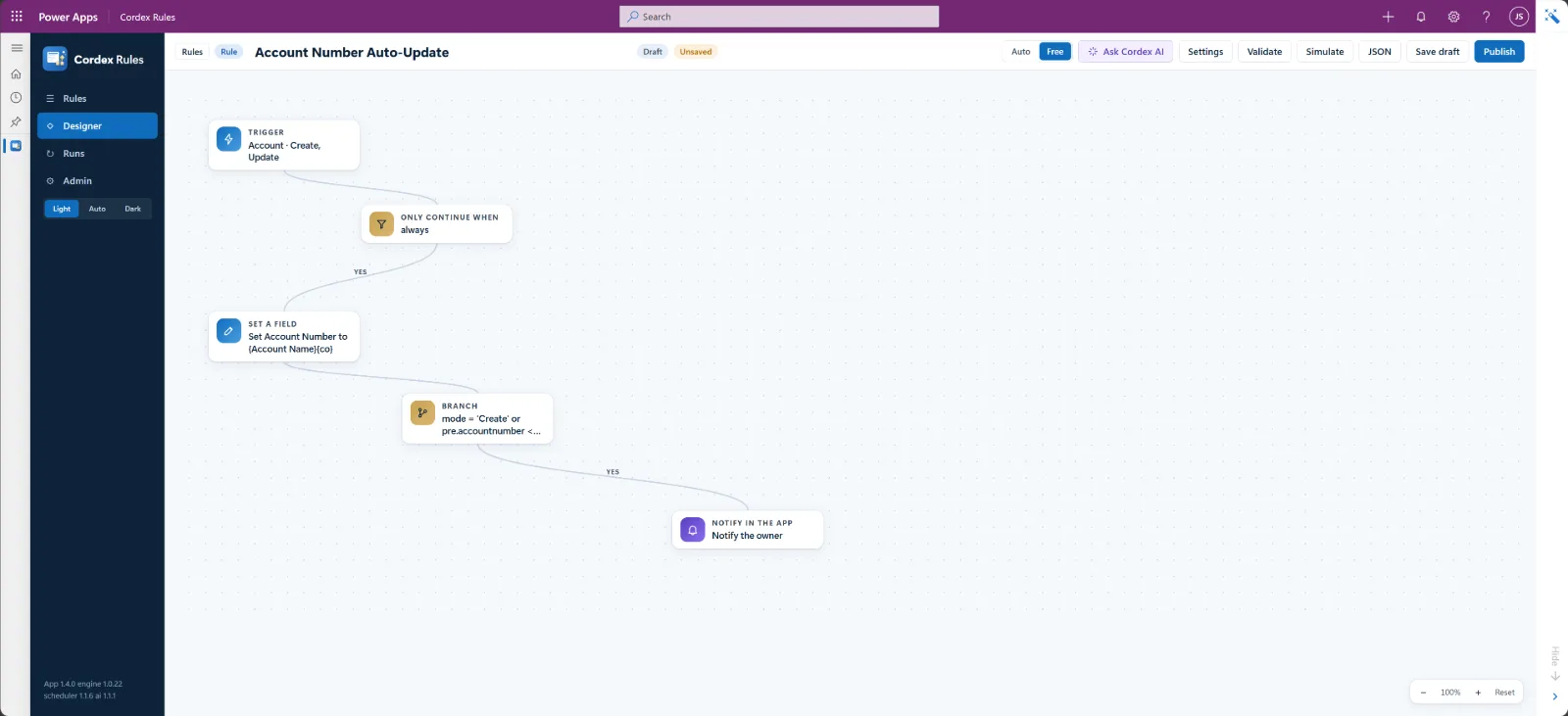
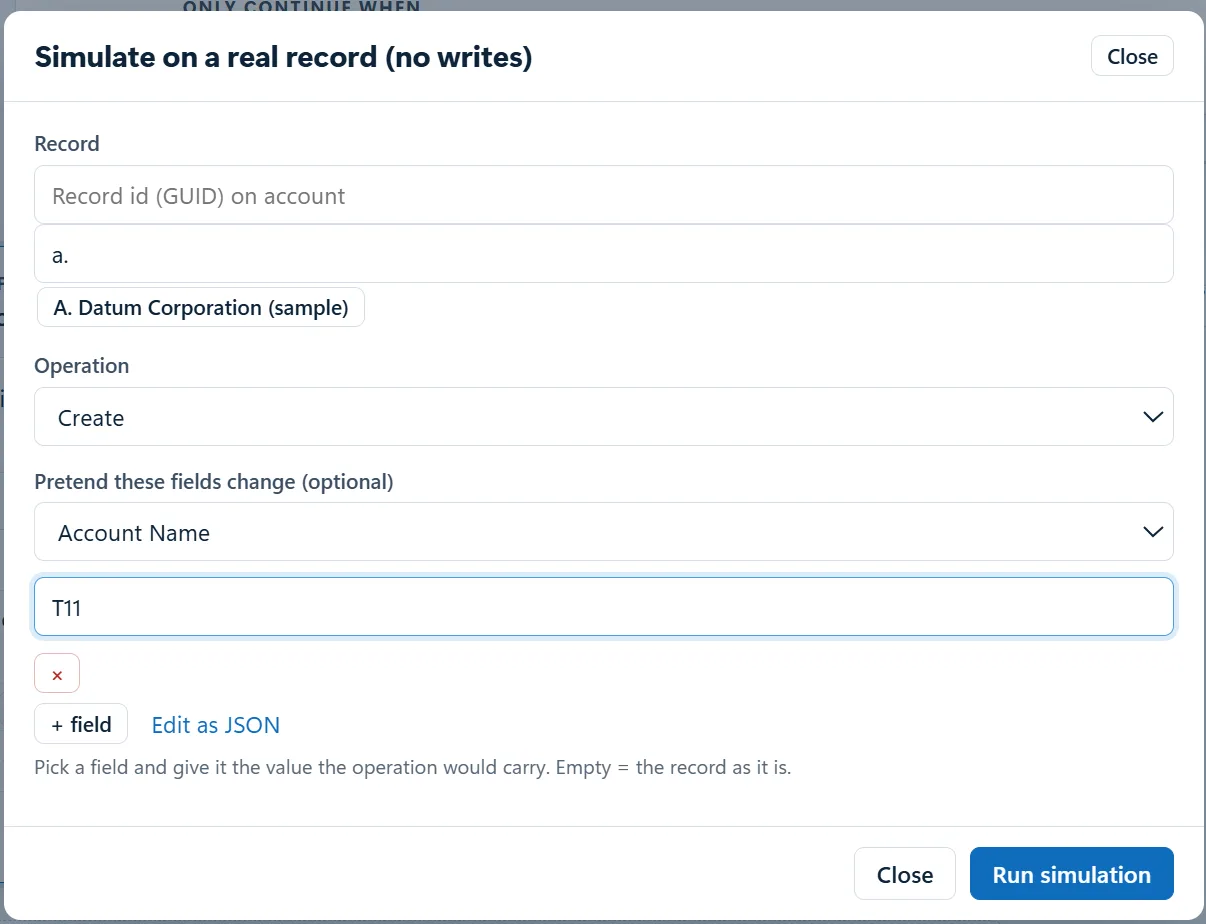
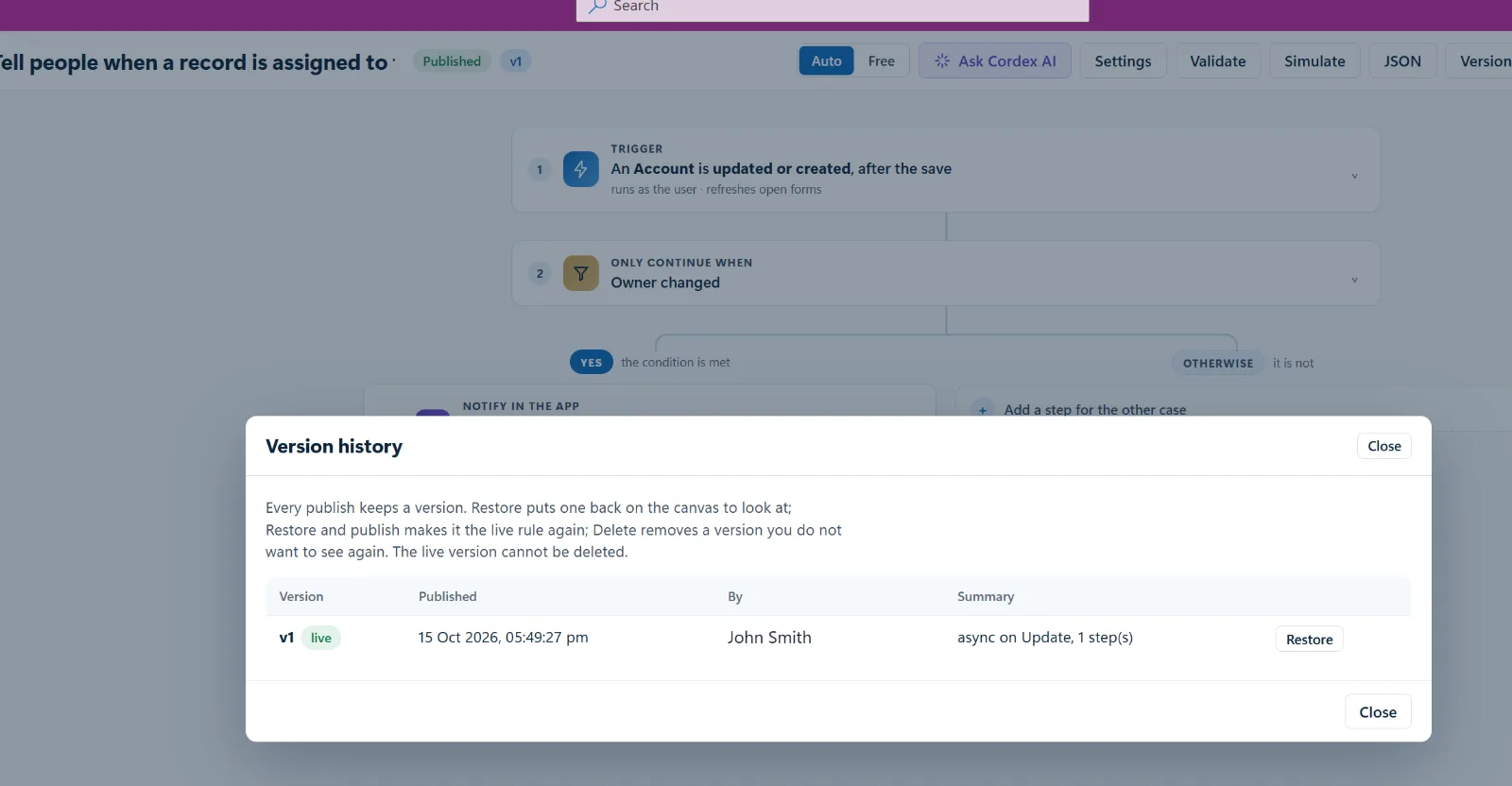
Real screens from a Dynamics 365 environment. Select any image to open it full size.
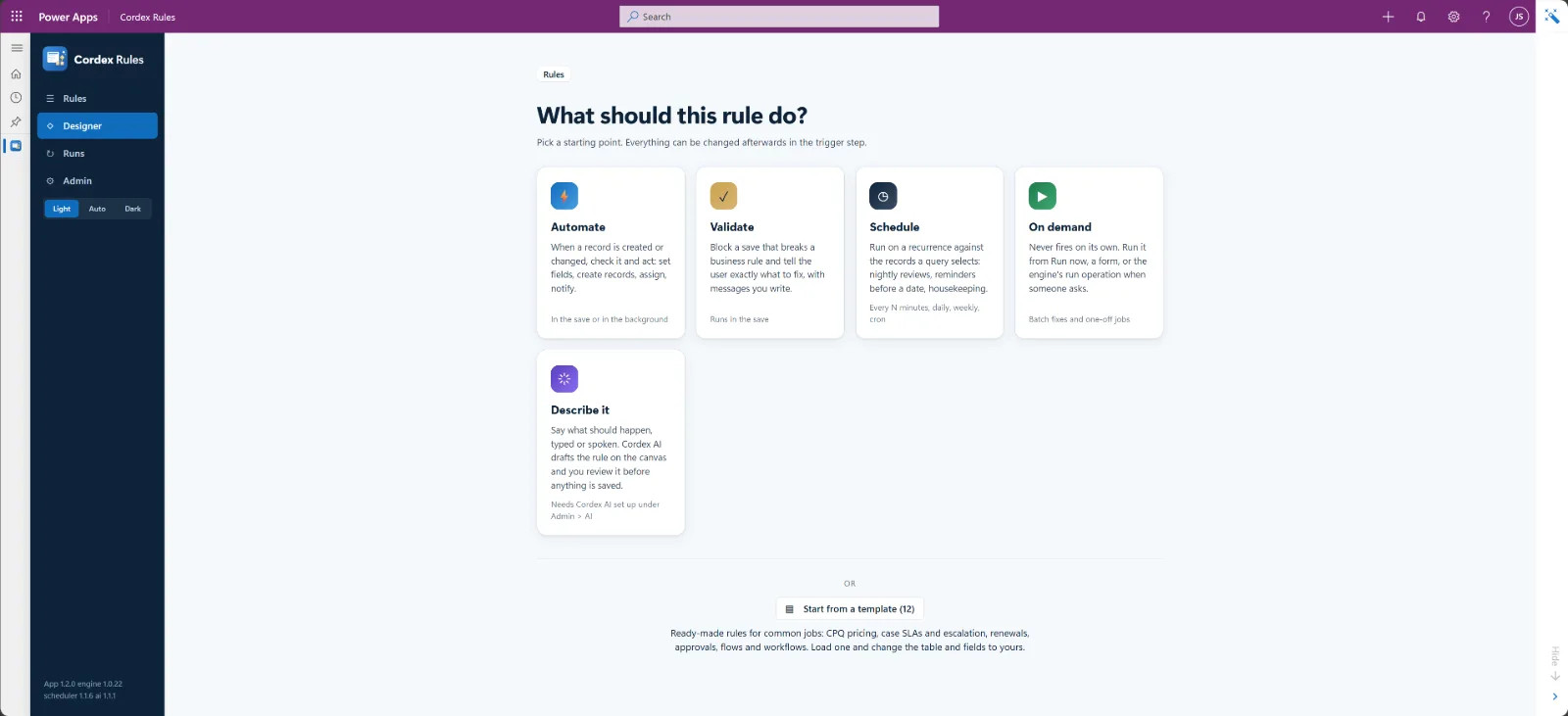
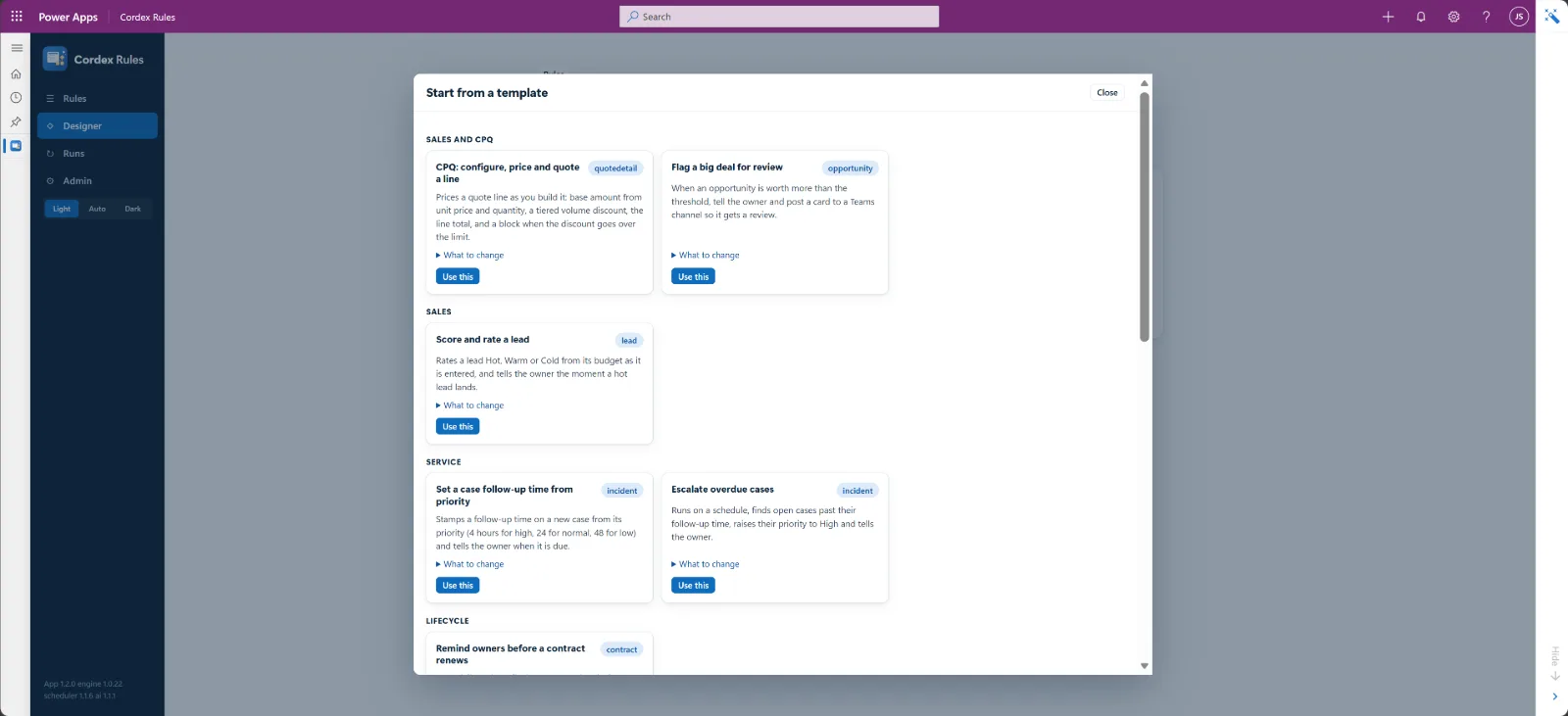
Adjust a ready-made rule. Don't start from blank.
A gallery of ready-made rules covers common jobs. Load one, change the table and columns to yours, and publish. Import more from a feed or a file.
- CPQ line pricing
- Big-deal review
- Lead scoring
- Case SLA and escalation
- Renewal reminders
- Assignment alerts
- Required-field checks
- Welcome email
- Webhook
Load
Pick a template from the gallery inside the app.
Point it at your data
Swap in your table and columns. The designer checks every field as you go.
Publish
Save it and it runs. Every version is kept, so you can roll back.
The record and the form stay in step while you work
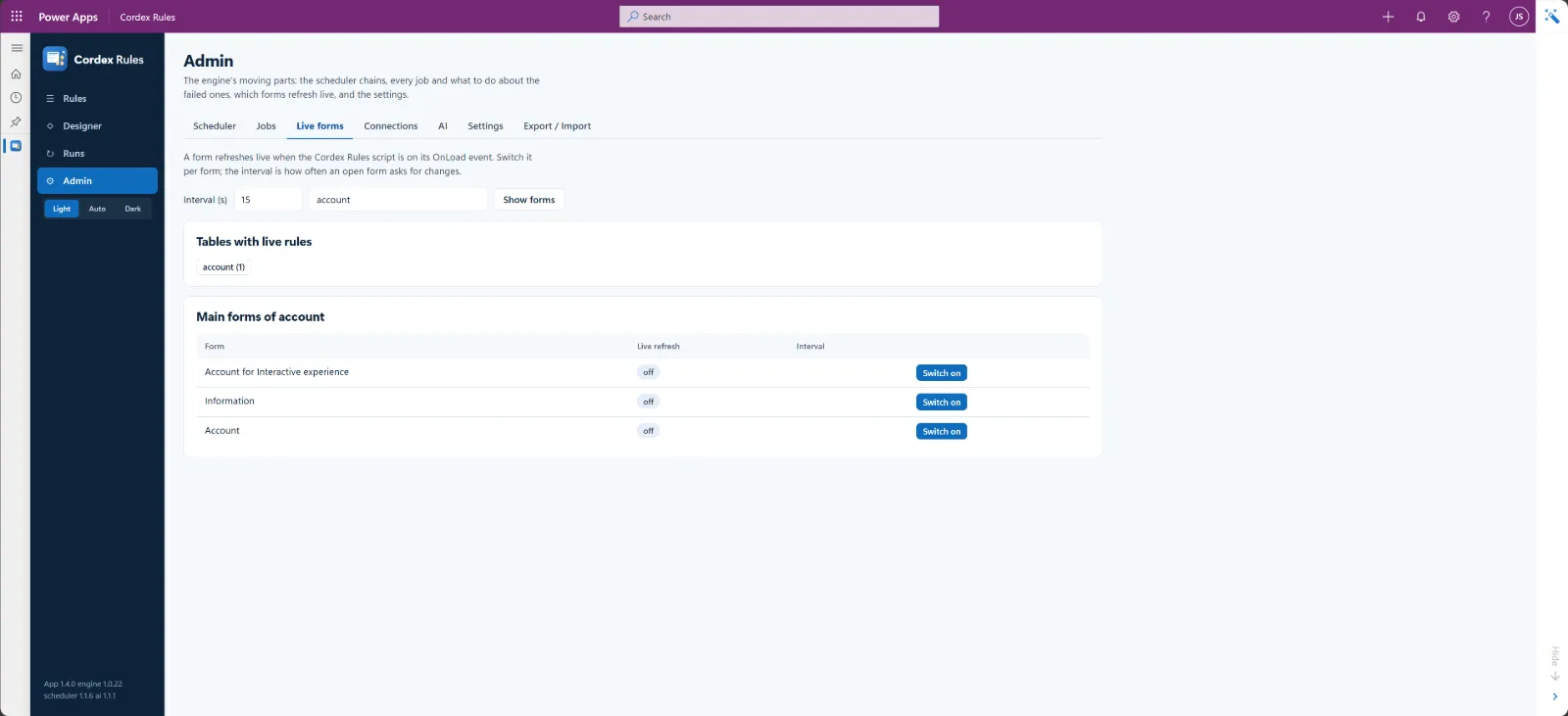
While a form is open, a rule running in the background can update the record. The form picks up the new values in place, with no closing and reopening.
- Changes appear in place. New values show on the open form as soon as the rule saves them.
- Your edits are safe. If you have unsaved changes, a quiet “Save and refresh” bar appears instead. Your work is never overwritten.
- Works with async and scheduled rules. Background work no longer means stale screens.
No Azure to host. Nothing to keep alive outside Dataverse.
The engine, the scheduler, the audit log and version history all live in your environment. Pricing is a flat monthly price for your active-user band, with no per-run fees.
Engine
Rules run in Dataverse, in the save or in the background.
Scheduler
Built in. Scheduled rules need no external caller.
Audit log
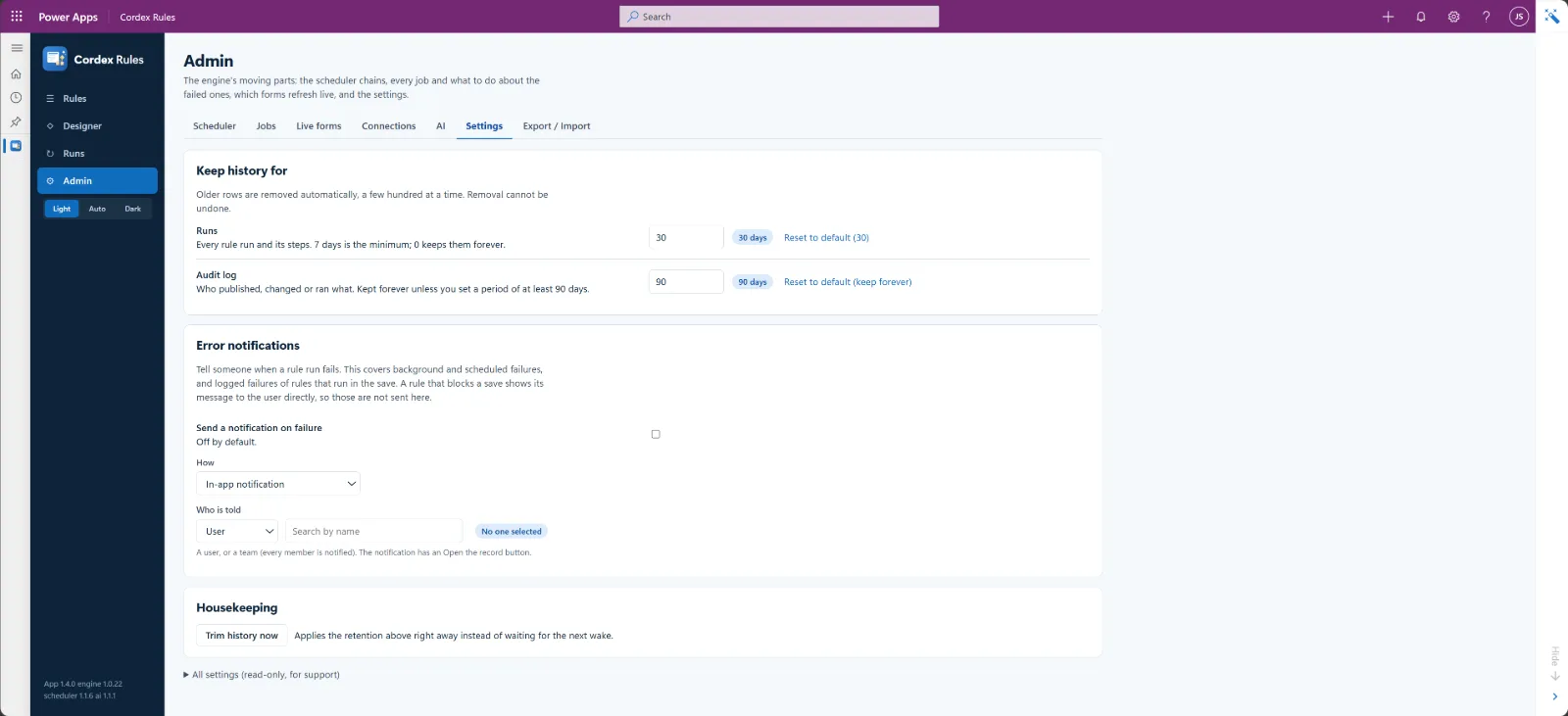
Every edit and every run is recorded, with retention controls.
Version history
Restore or delete a previous version at any time.
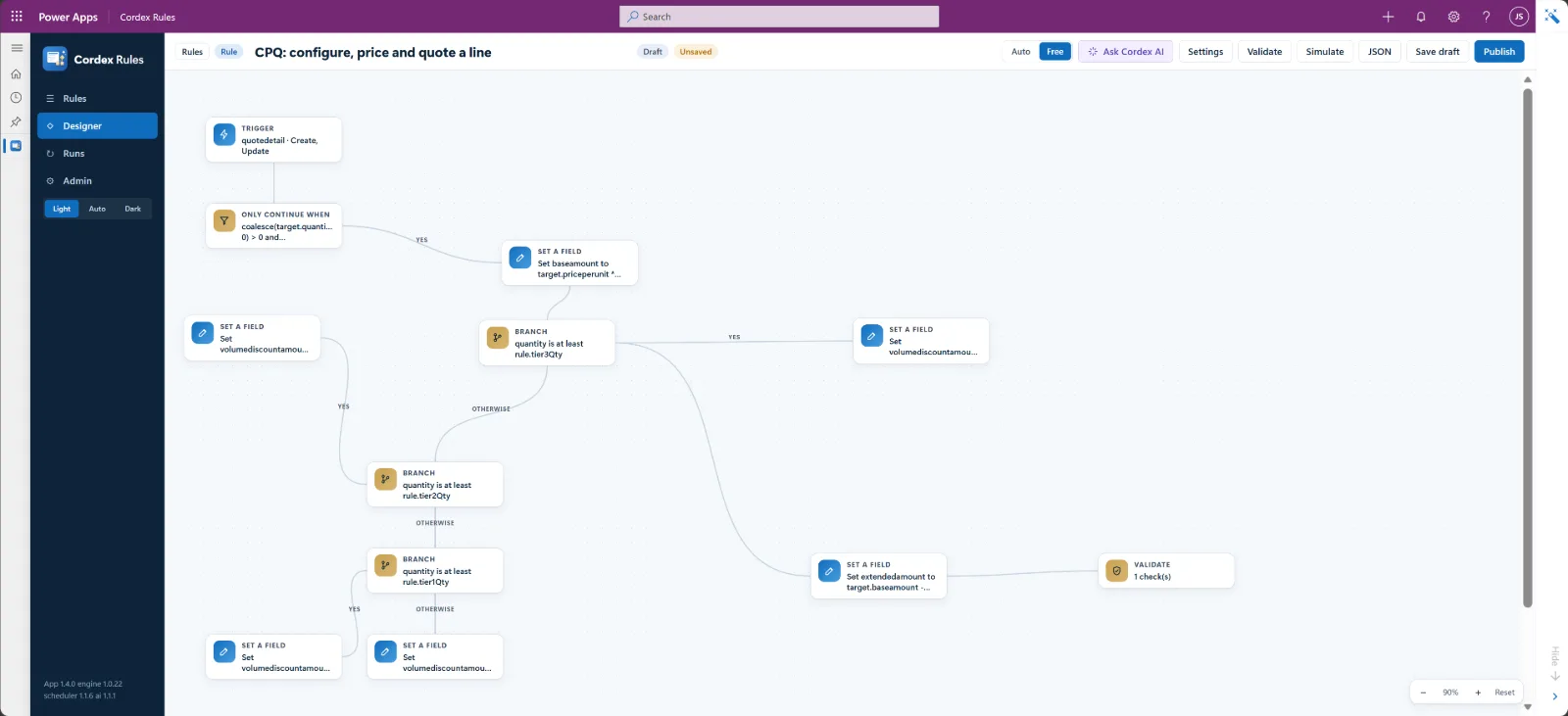
See the whole rule on one screen
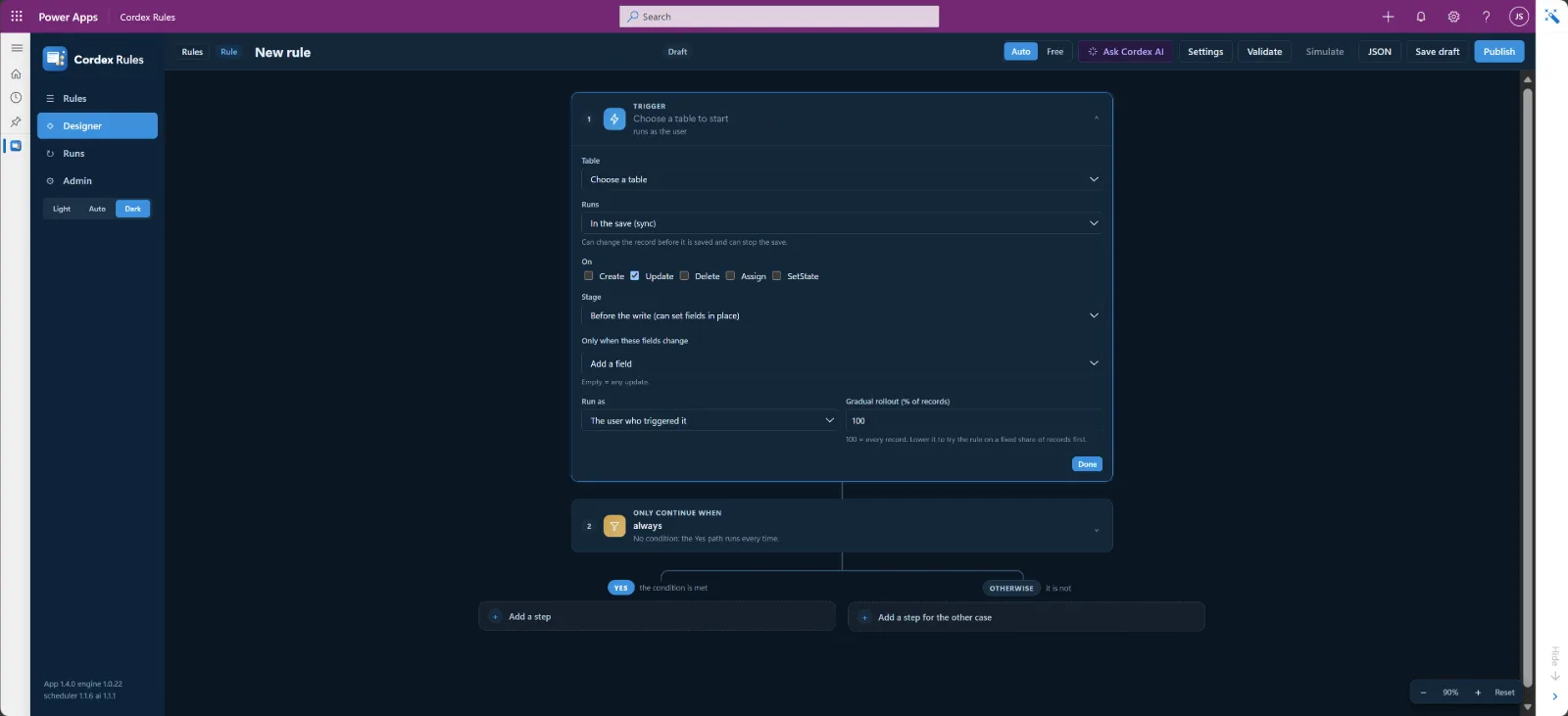
Steps open and edit in place. The rule reads back in plain English, so anyone can check what it does before it runs.
- Record values as pills. Fields take values from the record with a click.
- Expressions when you need them. Switch any field to the expression editor, with autocomplete and operator help.
- Big rules stay easy. Zoom and pan, switch themes, and lay the rule out down the page or across it.
- Accessible. Built to WCAG 2.1 AA: keyboard, focus and screen-reader friendly.
Hard logic, still easy to see and change
Take a configure-price-quote rule. Conditions pick the options that apply, the expression language does the pricing maths, and set and validate steps build the line total and block an over-limit discount. All in one rule you can read and explain.
It ships as a template. You change the tables and rates to yours, and publish.
In the save, in the background, on a schedule or on demand
In the save
Sync rules act before the record is saved, so the saved record is already right.
In the background
Async rules run after the save, without slowing the user down.
On a schedule
The built-in scheduler runs rules on time, with no external caller.
On demand
Run a rule from a form or a view with the Run a rule command.
Works with what you already run
Cordex-Rules complements your Power Automate flows and workflows. Each of these is a step in a rule.
Call a flow
Call a Power Automate flow and pass it parameters from the record.
Run a classic workflow
Run an existing workflow against the record, as a step.
Call a secured API
Auto-discover an API from its OpenAPI or Swagger document. Credentials stay in a secured connection.
Environment variables
Read environment variables in expressions and steps, so one rule works in dev, test and production.
Nothing changes, or fails, in silence
Tell people
In-app notifications with an Open record button, email, and a Microsoft Teams card, all as steps in a rule.
When something goes wrong
One standard error pattern. A rule failure is logged and a chosen person or team is told, every time, through the same path.
Guard the data
Validators block a bad save with a clear message. Everything runs as the signed-in user, so Dataverse security decides who can do what.
Describe the rule in words. Cordex AI drafts it.
Type or speak what the rule should do. Cordex AI drafts it on the canvas for you to check and publish, and explains existing rules in plain words.
- Bring your own provider. Anthropic, OpenAI, Azure OpenAI, Gemini, Grok or any OpenAI-compatible endpoint.
- Keys never reach a browser. They are stored encrypted in your environment.
Drafted a scheduled rule on Case with three steps:
One flat monthly price. No per-run fees.
Priced by the number of active users in the environment. A user counts once. AI includes everything in Core. Both editions start with a free 30-day trial.
Core
The full rule engine.
Register interest Register interest- Visual designer with plain-English read-back
- Template gallery, with import from a feed or a file
- Sync, async, scheduled and on-demand rules
- Flows, classic workflows and secured API calls
- Notifications, email and Microsoft Teams
- Validators and the standard error pattern
- Live data on open forms
- Environment variables and secured connections
- Version history, audit log and retention
Plan code cordex-cr-core
AI
Everything in Core, plus Cordex AI.
Register interest Register interest- Everything in Core
- Cordex AI: write and explain rules by chat, typed or spoken
- Bring your own AI provider, keys stored encrypted
Plan code cordex-cr-ai · AI usage billed by your provider under your key
Monthly price by active-user band
| Active users | Core | AI |
|---|---|---|
| Up to 10 | $90 | $150 |
| Up to 25 | $200 | $350 |
| Up to 50 | $375 | $650 |
| Up to 100 | $700 | $1,200 |
| Up to 250 | $1,600 | $2,750 |
| Up to 500 | $2,900 | $5,000 |
| Up to 1,000 | $5,000 | $9,000 |
| Over 1,000 | Contact us | |
Per environment, per month, in USD, excluding applicable taxes. Never charged: runs, steps, actions, API calls or records. No consumption meter, and no user licences beyond your existing Dynamics 365 or Power Apps licences. Licensing and checkout by Key-Warden.
Your Dataverse security still decides
Rules run as the signed-in user, credentials stay in your environment, and every edit and run is on the record. Admin settings are kept to the few that matter.
Runs as the user
A rule can only change what the person who triggered it could change.
Credentials stay hidden
API, webhook and AI credentials are stored encrypted and never returned to a browser.
Full audit log
Every edit and every execution is logged, with retention controls you set.
Version history
See who changed a rule and when. Restore any earlier version.
Three steps to your first rule
Before you start: Dynamics 365 Customer Engagement or a Power Apps model-driven app on Dataverse, with Key-Warden Licensing (Base Kit) installed first. It is a free Microsoft Marketplace offer.
Get Key-Warden Licensing- 1
Install the Base Kit, then import Cordex-Rules
Install Key-Warden Licensing in the environment, then import the Cordex-Rules solution.
- 2
Activate your licence
In the Cordex-Rules app, open Admin > Licence, select Open Key-Warden Licences, find the Cordex Rules card, enter your code and Activate.
- 3
Assign the role
Give the Cordex Rules Licensed Users role to the people who use it. The rule engine is ready at once.
Frequently asked questions
How are users counted?
Are there any per-run or usage charges?
Do I need extra licences?
Does Cordex-Rules need Azure?
Can I call my Power Automate flows and classic workflows?
Which AI providers does Cordex AI support?
Can I schedule rules?
Can non-admins run a rule?
What happens if a licence lapses?
More help on the Cordex-Rules support page.
Start a free trial, or talk to us
Try Cordex-Rules free for 30 days in your own environment. Questions about pricing, templates or a 1,000+ user agreement? Send us a message.
cordex-rules@myitandapps.com.au