
Dataverse virtual tables vs data import for reference data
Dataverse virtual tables and data import are the two ways to get reference data such as countries, time zones or clinical codes into Dynamics 365 and Power Apps. This guide compares them, then walks through a filtered virtual table built with Cordex-Reference.
Updated 14 October 2026 · My IT and Apps
The short answer
Use virtual tables for large or frequently updated reference data that users read and look up. Use data import when you need features Microsoft does not offer on virtual tables, such as charts, dashboards, auditing or offline use, or when users must edit the rows.
Side-by-side comparison
| Virtual tables (Cordex-Reference) | Data import | |
|---|---|---|
| Dataverse storage | None for rows. Only table definitions are stored. | Every row uses database storage. |
| Freshness | Live. Each query reads the current approved release. | As old as the last import. |
| Upkeep | None. New releases appear automatically. | Refresh jobs, dataflows or scripts to build and maintain. |
| Set-up | Import a free solution and add a licence key. | Design tables, map columns, load data, schedule refreshes. |
| Lookups, views, Quick Find | Yes. | Yes. |
| Charts, dashboards, Dataverse search, auditing | Not supported by Microsoft on virtual tables. | Yes. |
| Editing rows | Read only. | Yes. |
Why reference data suits virtual tables
- It is big. SNOMED CT-AU has around 723,810 concepts and the GBIF taxonomy about 3.47 million names. Importing that costs storage and time.
- It changes. Time zone rules, currencies and clinical code sets are updated several times a year. A virtual table always shows the current release.
- It is read, not edited. Users pick from it and look it up; they do not change it.
Worked example: a filtered table of Australian time zones
A common worry with virtual tables is that a big table is hard to use. Cordex-Reference solves this with variant tables: copies of a Cordex table with their own permanent filter. Here we turn the global Time Zone table into one that only shows active Australian zones.
1. Create the variant
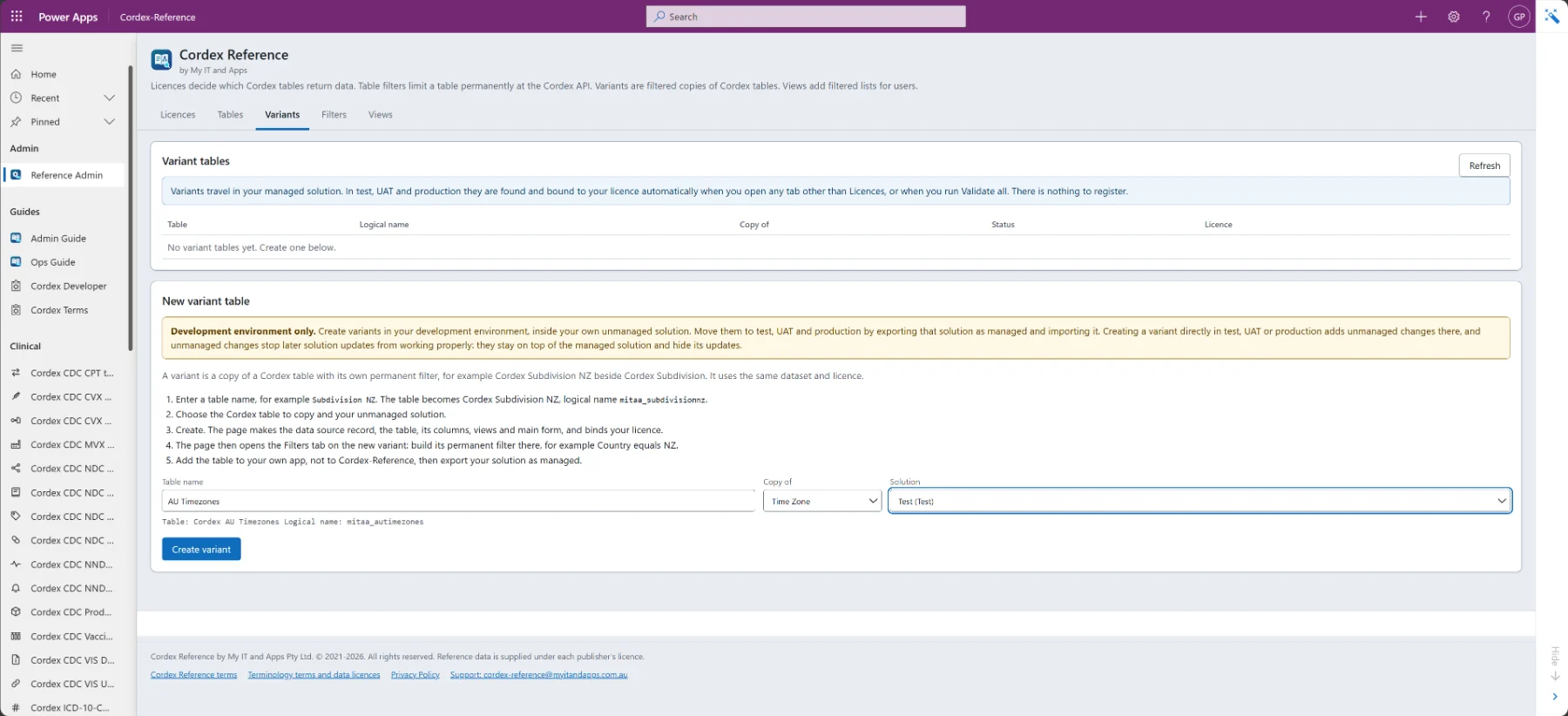
In your development environment, open the Variants tab, name the table, choose the table to copy and your own unmanaged solution, then select Create variant.
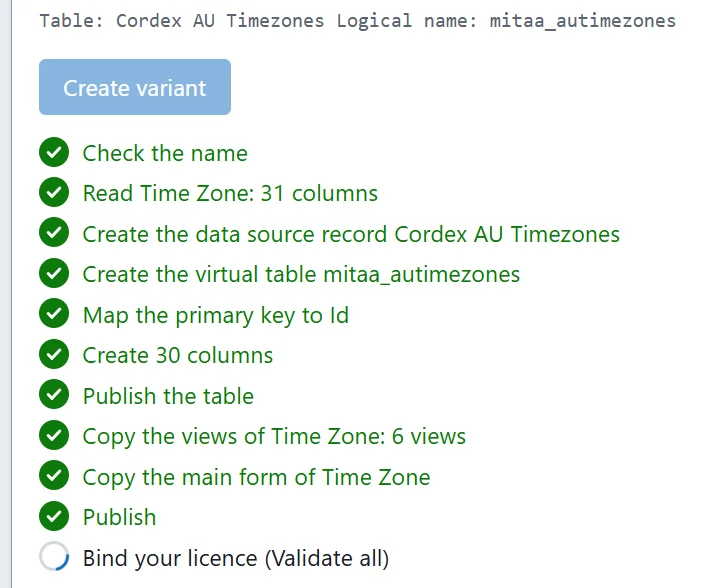
The page creates the data source record, the virtual table, its columns, views and main form, publishes the table and binds your licence, showing each step as it completes.
2. Add a permanent filter
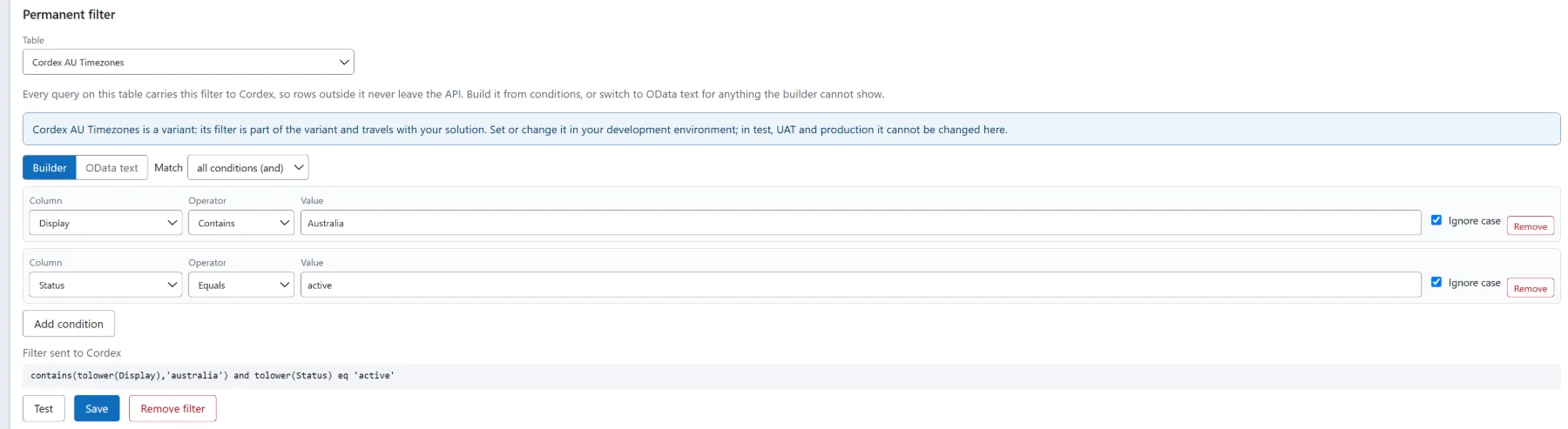
On the Filters tab, build the filter from conditions, or switch to OData text. Here: Display contains Australia, and Status equals active. Every query on the table carries this filter to Cordex, so rows outside it never leave the API.
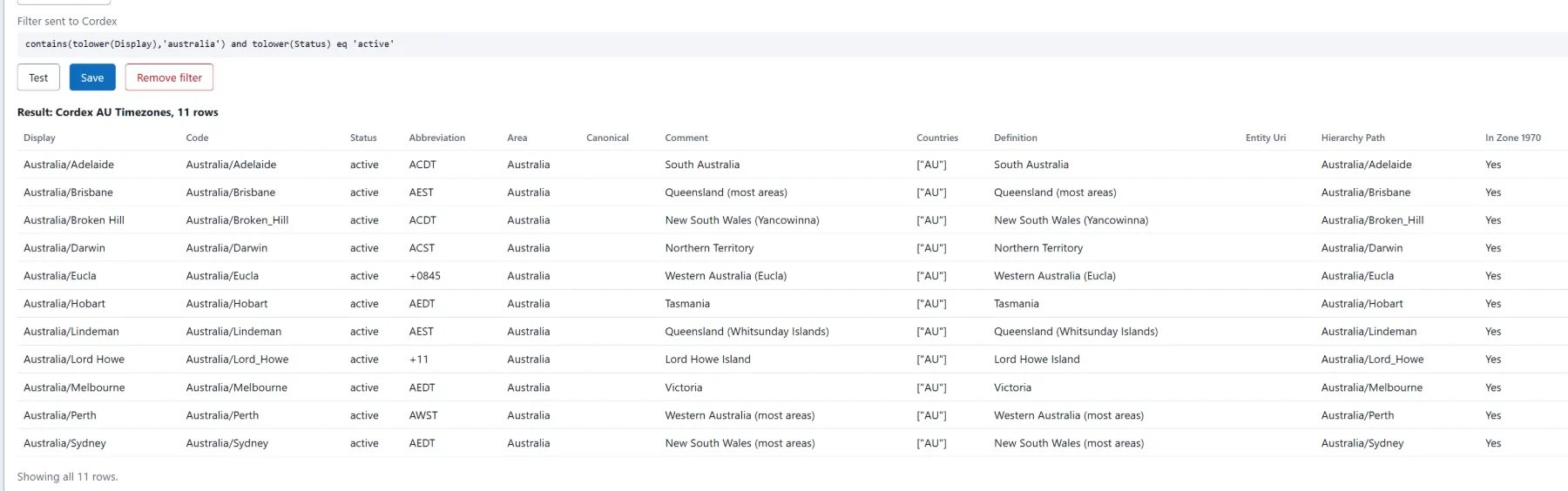
Select Test to see the result before you save. The global table becomes 11 rows.
The Filters tab lists every table with a permanent filter, including the built-in kingdom filters on the taxonomy tables and your new variant.
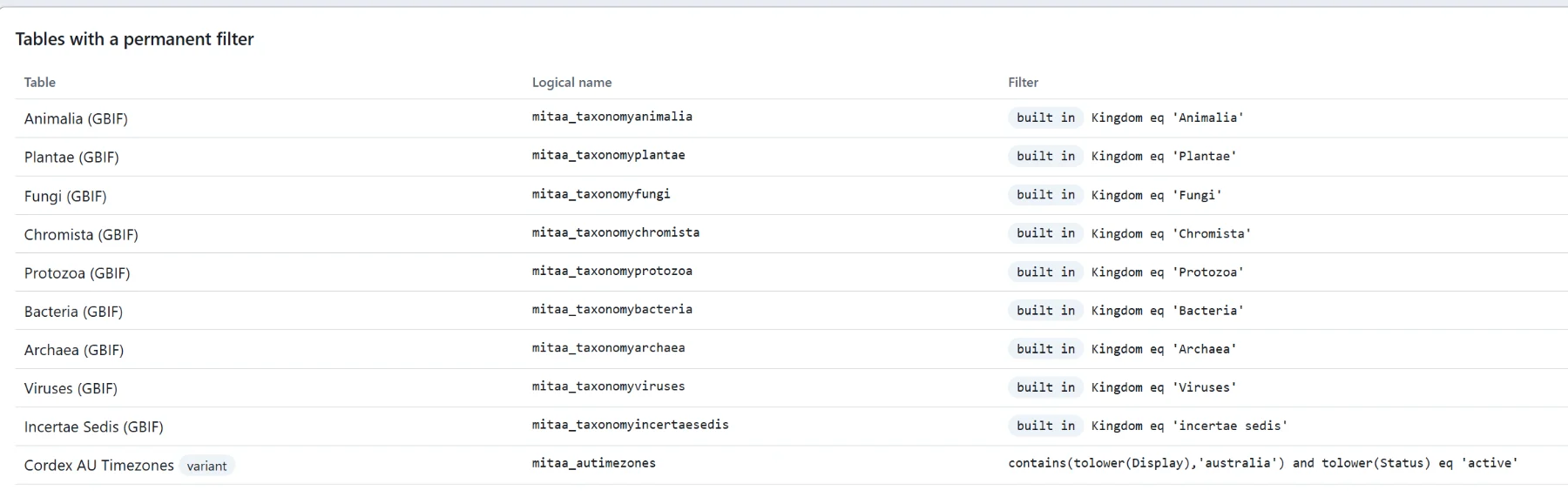
3. Build a view for users
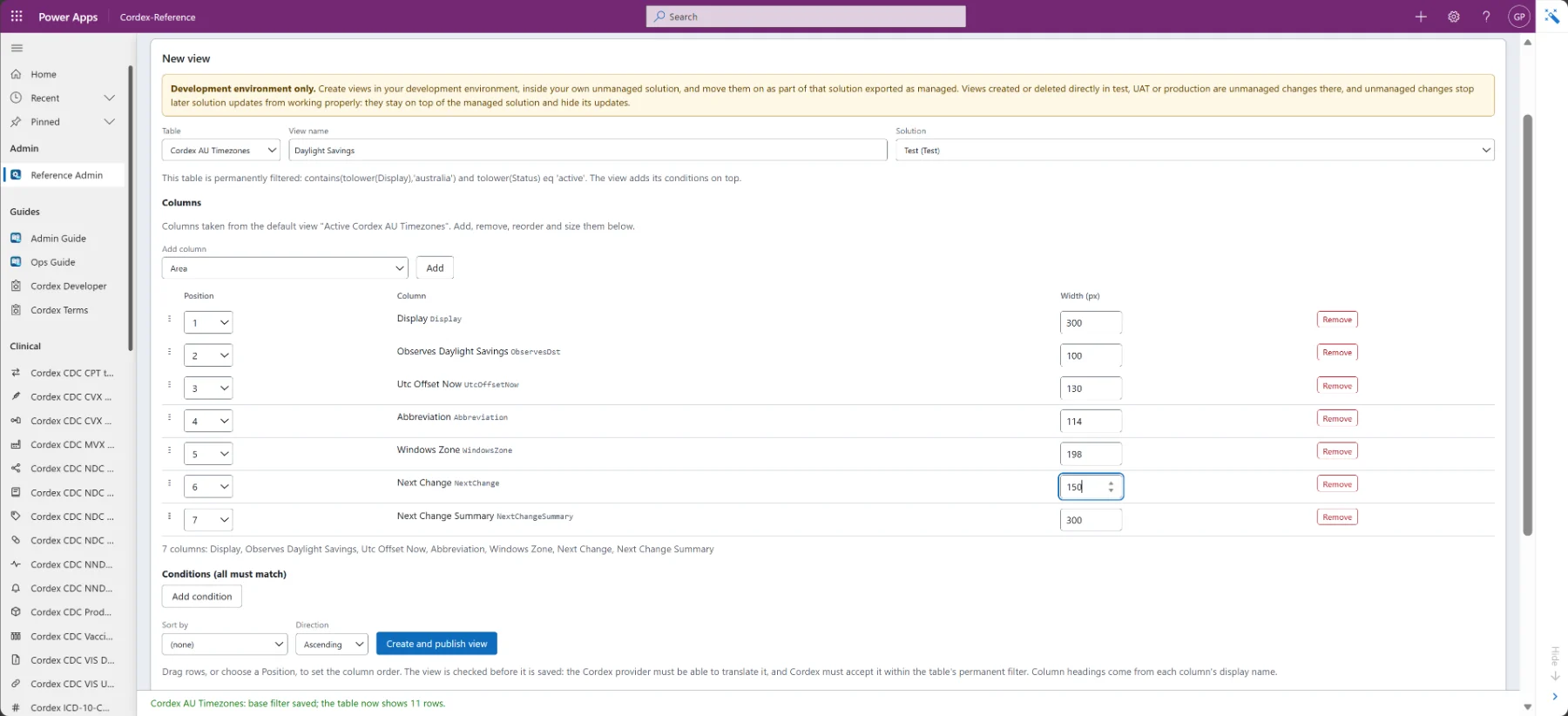
On the Views tab, choose the table, name the view and pick the columns, their order and widths. Add conditions and a sort if needed. The view is checked against Cordex before it is saved.
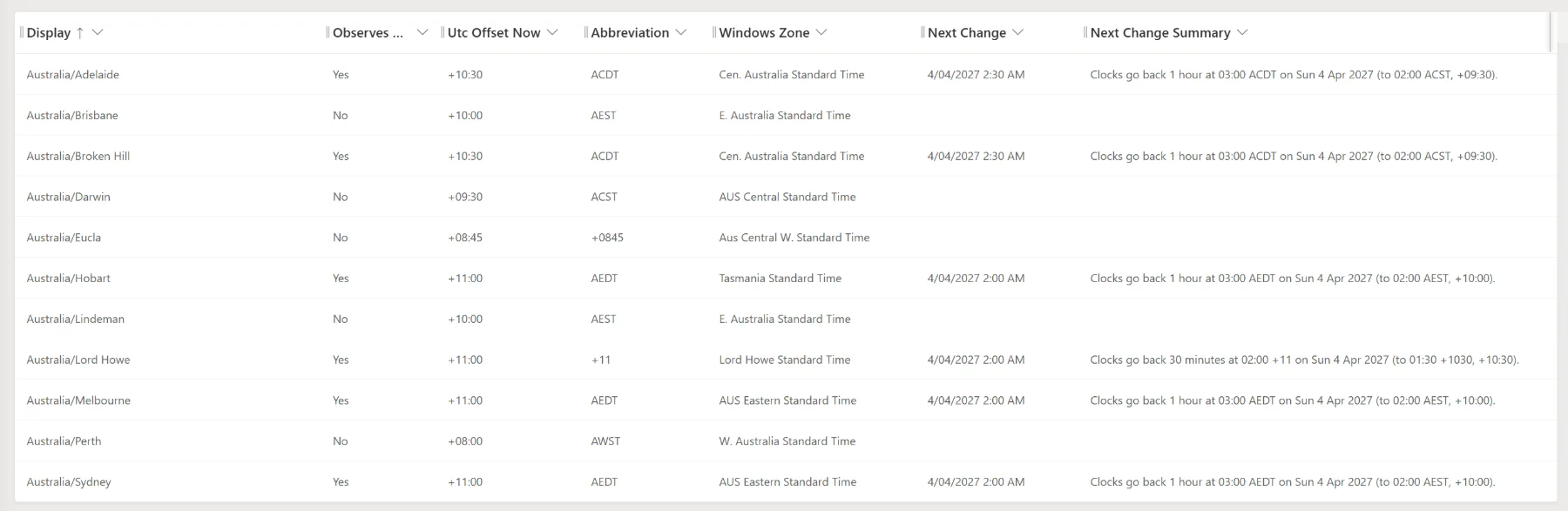
Users then see a clean list: which zones observe daylight saving, the current UTC offset and when the clocks next change.
Move the variant and view to test, UAT and production by exporting your solution as managed. Nothing needs registering there; the variant is found and bound to your licence automatically. Every step is covered in the Admin Guide.
When to import instead
- You need charts, dashboards, Dataverse search, auditing, column security or change tracking on the data.
- Users must work offline in the mobile app.
- Users must edit, add or delete rows.
- You need joins or aggregate queries across the reference data and your own tables in a single query.
Many organisations use both: virtual tables for big, changing reference sets, and a small imported table for the handful of values they report on.
Frequently asked questions
Do Dataverse virtual tables use database storage?+
Not for rows. A virtual table stores only its definition; rows are read from the external source on every query. Cordex-Reference caches only table definitions and column lists, for 10 minutes.
Can I use virtual tables in charts or dashboards?+
No. Microsoft does not support charts, dashboards, Dataverse search, auditing, column security or change tracking on virtual tables. Import the data if you need those features.
Can I permanently filter a virtual table?+
Yes, with Cordex-Reference. A permanent filter is sent with every query, so rows outside it never leave the API. Create a variant table to keep the full table and a filtered copy side by side.
Are lookups to a virtual table reliable?+
Yes. Lookups from your own tables to a Cordex table work, and a row's Cordex Id never changes between releases, so lookups stay valid when a new release is published.
Is Cordex-Reference free?+
Yes. The solution is free. Data comes with a Cordex Terminology API plan, and your plan decides which tables return data.